
I would like to make it easy for people to comment on this blog, and I think I’ve taken reasonable steps to do so. But it always seems as if there is something that makes it hard or confusing, and I’m not sure how to “fix” that.
Identification
All comments require you to do something to identify yourself. Choose whichever of the (currently three) ID methods you prefer



WordPress: Requires a WordPress account, which is easy enough to set up. Will be prompted for login if you aren’t authenticated already. Stays logged in and works with other WordPress-driven blogs
Facebook: Requires a Facebook account, which is easy to set up. Will prompt for login if not already authenticated. Prompts for Jetpack to get access to your email address from FB. Also stays logged in and works with other Facebook authentication sites
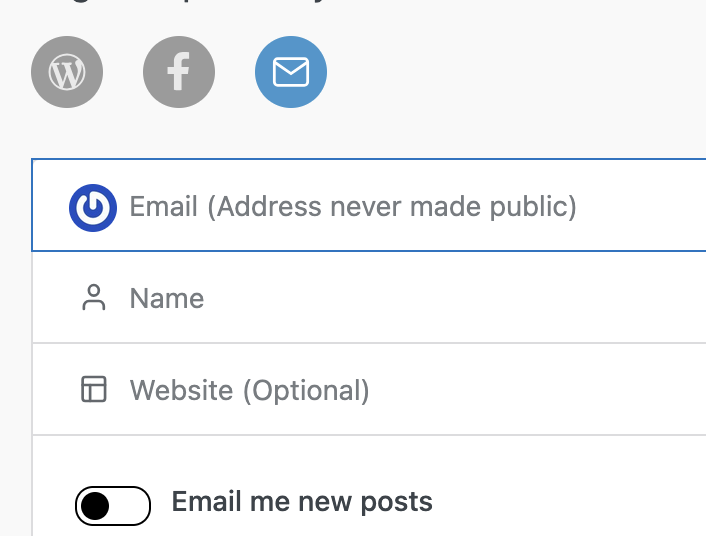
Email: requires an email address, which is not shared on the blog (just used for identification). Choose “Save my name…” when commenting so your next comment will have these fields pre-populated
Of the three the one I use is WordPress because I am already logged in most of the time to work with my blog. Most active bloggers also use WordPress authentication. It is free to get an account.
Confusion
I think the starting point for confusion about comments is: why is identification needed at all? Mainly this is an anti-spam feature. On some blogs it also supports things like comment editing, which is not the case for mine. But comments without a good identification system are not safe for the blog or the people visiting.
Another source of confusion is understanding how the different identification methods work. Facebook doesn’t share anything with my blog other than “this person is who they say they are”, but it might seem like I’m asking for your trust.
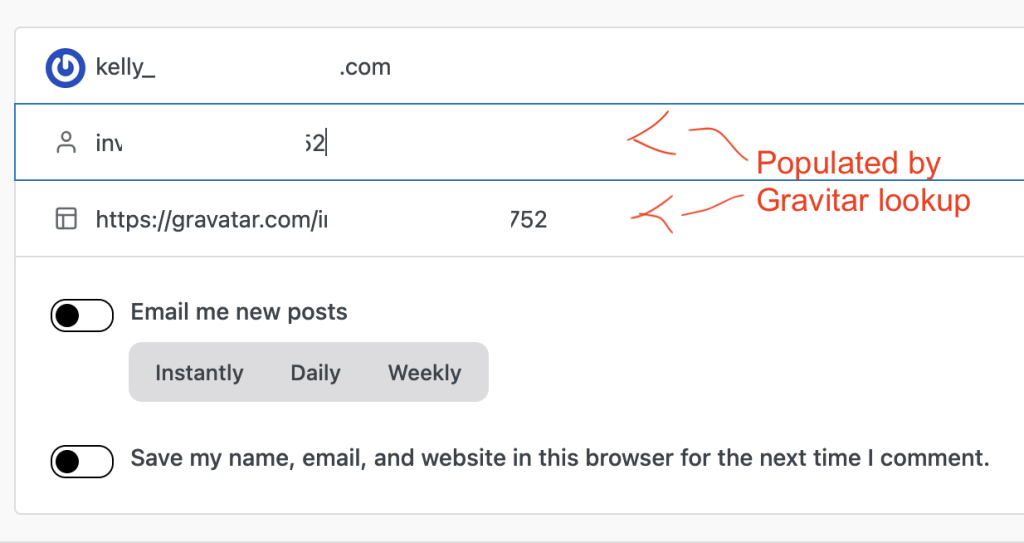
The email authentication option adds an extra wrinkle that I think also confuses people. The newer versions of WordPress do some magical stuff when you enter your email address to try to populate a Gravitar- the little icon beside the commenter’s name. This populates the “Name” field and the “Website” field based on the lookup results, but it can look like something really weird is going on.
From Google AI:
When a user leaves a comment and inputs an email address, WordPress creates a secure hash of that email and queries the Gravatar service to check if a matching profile picture exists. It does not expose your raw email address or run an open text search, but it does “search” the Gravatar database via the hash to display the correct avatar.
You can over-ride the Name and Website URL fields with whatever values you want after the lookup completes, or just accept the Gravitar lookup if it suits you.
Wrap up
Hopefully this post provides at least a bit of clarity regarding the comment options on this blog. I also found the whole Gravitar lookup thing to be surprising, and it might be something for other blog owners to be aware of.
Let me see if I can leave a comment from the Jetpack app on my iPad, because from FF on Win11 with my WP credentials it blocked me.
Test comment. I’m able to log in with WordPress, but my first attempt at saving a comment failed with an Access blocked – allow request error