
I like to consider myself constructively lazy. I’ll put in a lot of work so I can do less work in the future, particularly if that work is boring and repetitive. Sometimes I’ll put in far too much effort for the possible future savings, but I still do it anyway just because I hate the repetitive stuff.
In this post I’ll touch on several things I’ve done on my blog server to make it theoretically easier to manage. WordPress update automation, WordPress backup automation, and Linux update/upgrade automation are the main things I’ll mention. This isn’t a ‘how to’ or detailed guide in any shape or form, but rather just gives a rough idea of some of the tooling a lazy person like myself can use to maintain their self-managed blog.
WordPress updates
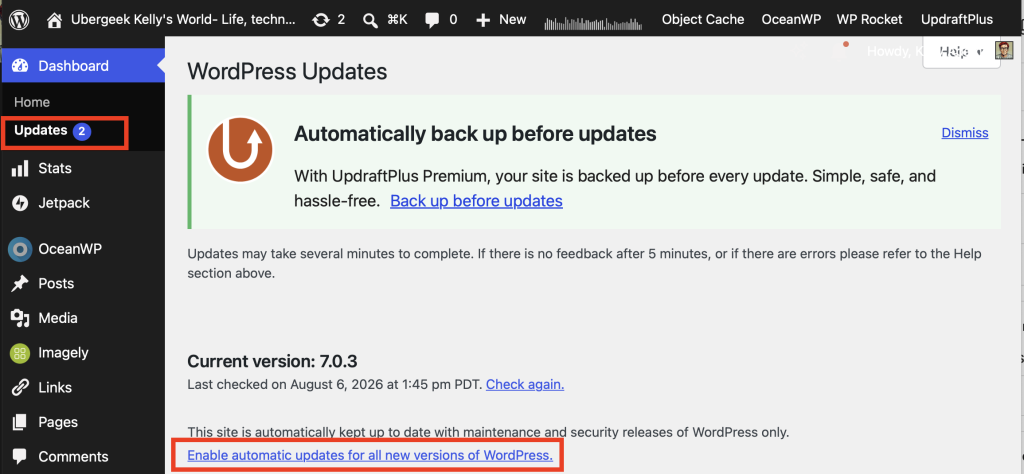
WordPress supports automatic updating of the core application out of the box. Minor revision updates are deployed by default, but you can also enable major revision updates by going to Dashboard=> Updates and choosing “Enable automatic updates for all new versions of WordPress”.
- I generally leave the “all new versions” feature off and perform major revisions ‘manually’ just so I can be sure nothing breaks
Updraft backup
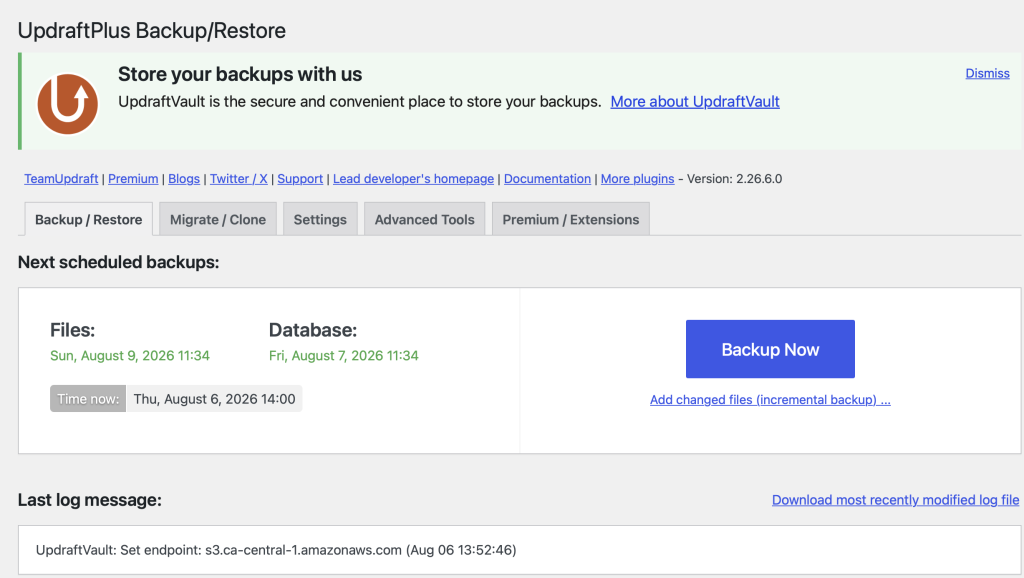
Backups are a good idea. I maintain regular backups of my primary WordPress instance- this one- using a WordPress plugin called Updraft Plus. It works well, is easy to set up and manage, and generally just does its thing without interference. I haven’t used its restore functionality yet, though, so that’s where the real proof comes.
Initially I used Updraft’s paid cloud storage, Updraft Vault, but it rapidly became too expensive for my usage levels which run at about 150 GB of storage. That amount of storage through Updraft Vault would cost me about $500 a year. Instead I moved my backup storage to Amazon AWS S3: a bit harder to set up and manage, but $5 a month or thereabouts for the same storage.
Linux updates
I host my blogs on my own little server in the basement. This means I also need to keep the Linux operating system up to date. This has become easier as the years have progressed and the distribution I use has been updated.
My current configuration is using Fedora, the open-source version of Red Hat Linux. I’m at release 43: as of release 42 I believe the dnf-automatic command became fully enabled to perform both OS updates and OS kernel upgrades. I wrote a bit about my experience setting up dnf-automatic and getting it to send email updates when it runs back in the February timeframe.
Properly configured, dnf-automatic schedules itself to perform both:
- updates: version updates of non-kernel packages that do not require a system restart
- upgrades: version upgrades of kernel packages that do require a s system restart
There are sound reasons why you might not want to do either of these things, or perhaps only perform updates but not upgrades. I feel that, for my purposes, keeping the system upgraded to the current OS version is worth the potential risk of the automation process.
Conclusion
With everything configured as I have it my blog and its underlying server largely take care of themselves. I like it this way, but for other people a more day to day maintenance “hands on” approach might be more appropriate. For now at least I’m happy with all of my automation, and am looking to add more self-maintenance like OS level backups to the process as time permits.