I’m a guy prone to replacing electronic gadgets on a regular cycle. A good old laser printer, however, can last a decade or more: often while using the same toner cartridge it came with!
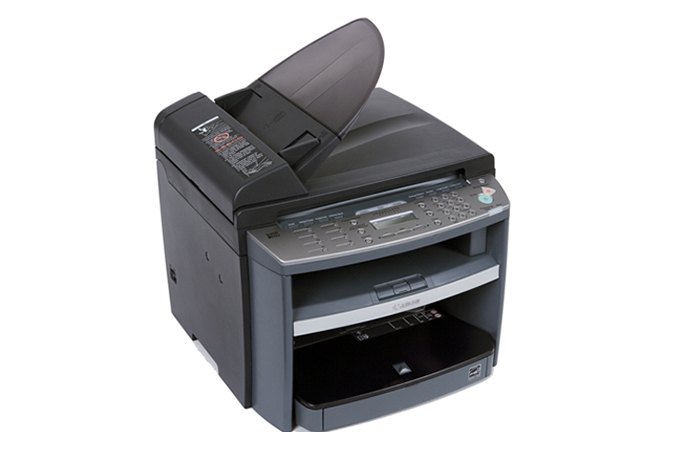
I encountered some problems recently with our old Canon MF4370dn and some of our newer macOS hardware. I just couldn’t get it to connect or print. Note that all the Macs involved were/are running Tahoe or Sequoia.
The problem and the fix
I found no end of drivers. But for some reason every one of them was worse than the last. I finally got a working set with the following mystical incantation.
- go to this Canon page=> https://www.usa.canon.com/support/p/imageclass-mf4370dn
- click on software and drivers: you should see something like the following
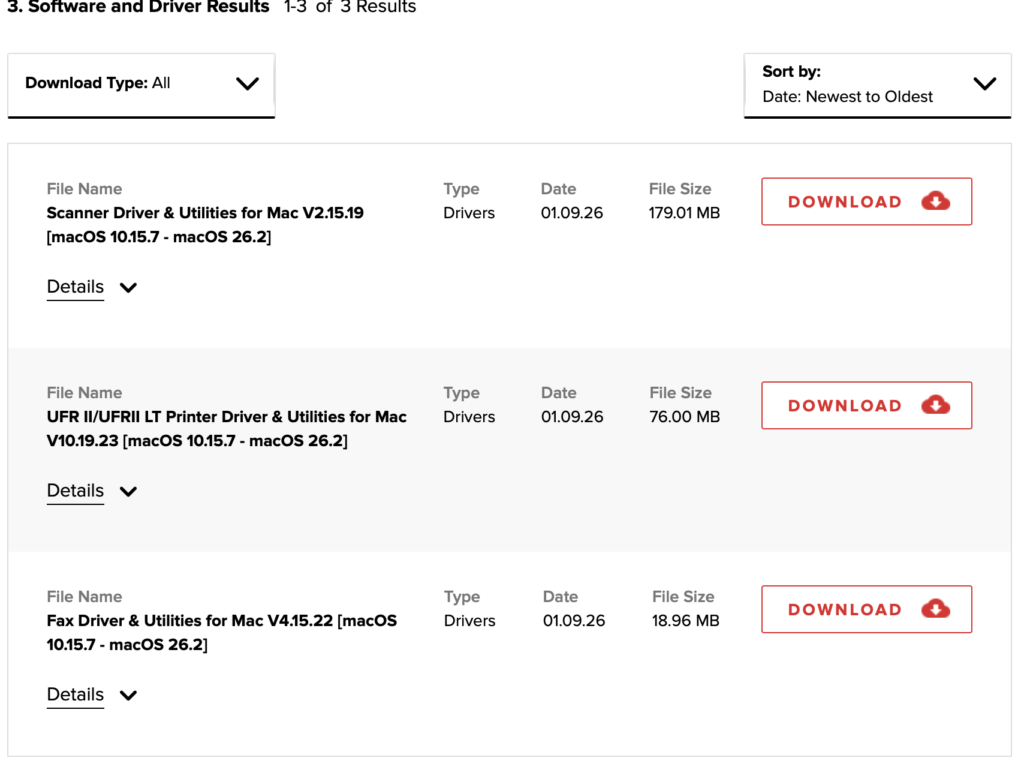
- Choose all three files: Scanner, UFR, and Fax drivers
- You should end up with three downloaded files

- I then installed them all, added a printer, and boom: printing started working. I haven’t tried faxing and scanning.
Magic? Hopefully
Getting the right drivers to work with the older Canon 4370 and ‘current’ macOS Tahoe seemed a bit magical. I am not confident that this combination will continue working for me, or that it will work for everyone. But I can be hopeful that this post will help at least one other person with a similar printing dilemma.