
I decided recently that it was time to build a new network attached storage service for our home network. I have an old one, a NetGear ReadyNAS NVX+, but it is no longer maintainable. The ReadyNAS admin UI doesn’t even support TLS 1.2, which means most modern browsers cannot connect to its administration page.
Speaking of which, if you need to connect to an old web page like the Admin UI on a ReadyNAS– you can use Firefox. Set its “about:config” =>
security.tls.version.min to 1 and you can then connect to TLS 1.0 and later sites. Beware, however, that old versions of TLS have been compromised and should not be used for general browsing
Of greater urgency for me was the fact that my Apple Airport TimeCapsule had become deprecated due to Apple’s impending removal of support for AFP (Apple File Protocol). After macOS 27 releases the only supported protocol for TimeMachine backups will be SMB. I needed to get off of AFP promptly as it will stop working likely sometime in September when my Macbook upgrades itself.
The device I chose for my storage needs is a Synology 925+. It has some good points and a big caveat that I’ll touch on in the balance of this post.
The good points
Synology has what is widely considered to be the gold standard user interface for NAS administration in the industry: DiskStation Manager (DSM). This uses web technology to present a dynamic interface similar to an OS desktop with apps and widgets for various functions. The UI performs very well and is responsive to your browser settings: I haven’t tried it using a mobile device but supposedly it is possible. Synology also has a dedicated mobile app that I haven’t tried.
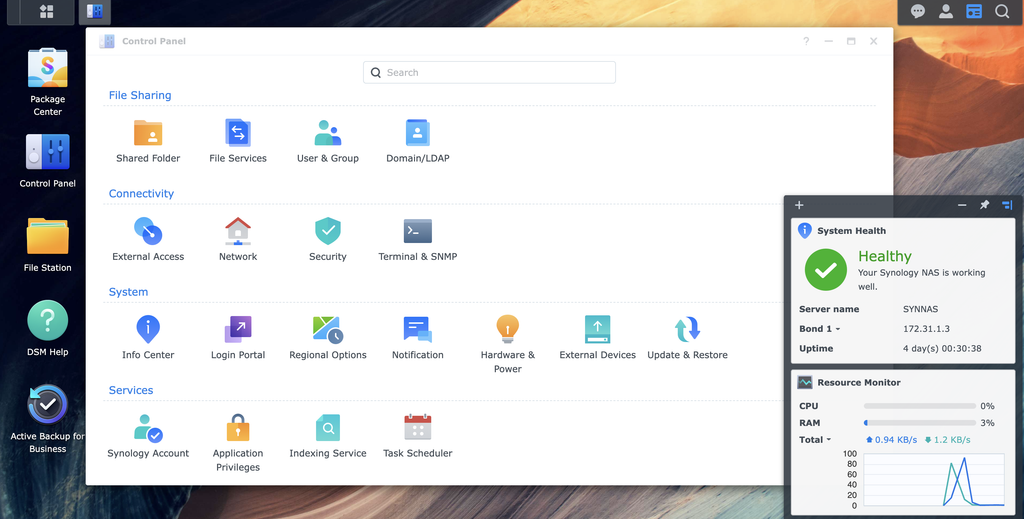
Out of the box the Synology NAS connects to the internet and allows secure remote administration of your storage. You can also set up private storage cloud services to access the storage on your device remotely- I haven’t tried this yet. DSM is also available locally on your LAN via <NAS IP Address>:5000, but I have found the Internet enabled “Quickconnect” service to work well enough for my needs.
After powering on with drives installed the NAS will prompt for storage pool and volume creation. I created a pool consisting of all of my drives and a maximum size volume, with storage management such as quotas and access control through shared folders. I also configured my NAS with dual bonded LAN connections and simple adaptive load balancing which requires the least setup on my network switch.
The Synology DSM software also provides support for Apple Bonjour services for Timecapsule. I followed the guidance on Synology’s website for setting up macOS backup via TimeCapsule and TimeMachine and encountered no issues migrating my Mac to use the Synology storage instead of my old deprecated Timecapsule.
While I was working with the Synology 925 I also set up rsync for my blog server to perform file level backups of itself. Synology additionally has an image backup application called Active Backup that supports Linux. I haven’t tried that yet but will probably set it up so I have full bare metal restore as an option for my Linux box.
The major caveat
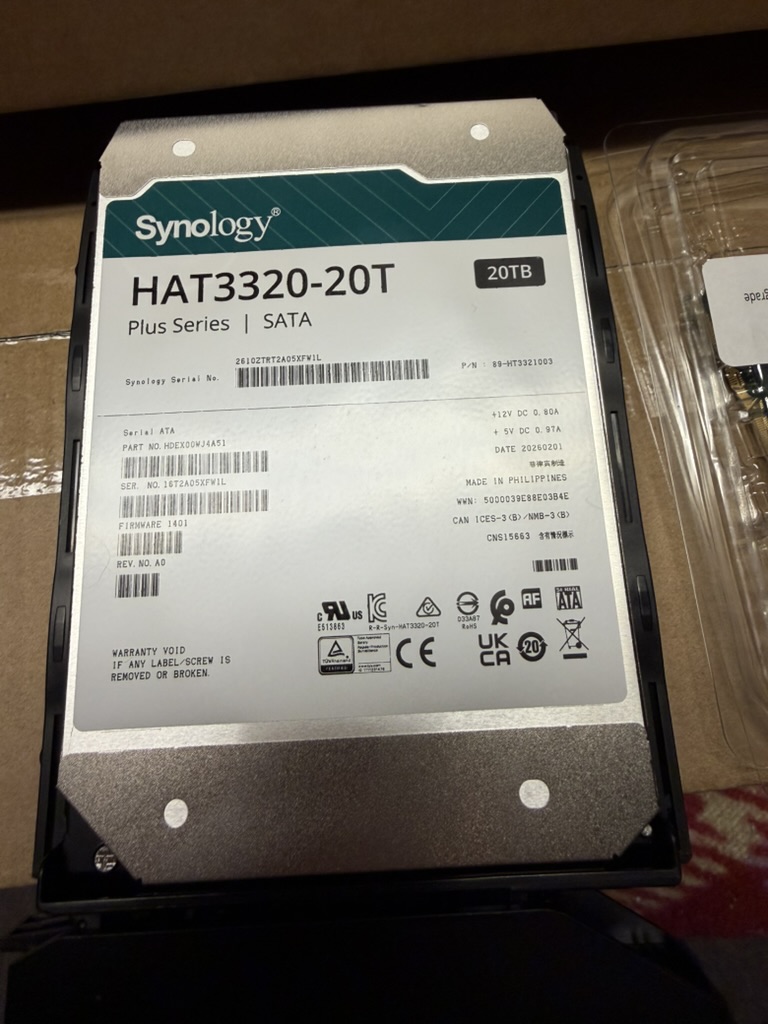
The biggest drawback to Synology products in general and the 925+ in particular is that they do not support third party storage options. That means all drives used in the NAS must be Synology-branded, and you pay a premium for that honour. As an example, I installed 20 terabyte disks in my NAS- the Synology version of such disks were $1,100. Similar 20 terabyte drives such as Western Digital Red disks can be had for a couple of hundred dollars cheaper per disk. Currently the differences are not as great as they once were due, I presume, to rapid increases in storage costs originating with the AI consumption boom.
Non-Synology branded disks may be outright not recognized during install of the DSM software, which could lead to some serious problems if you weren’t aware of this limitation. A lot of people would reject the Synology entirely due to the limitation on supported hardware. I hesitated myself, but ultimately decided that the problem with vendor lock-in was worth accepting in order to get the ease of use benefits that accompany the DSM software.
The bits and pieces
The hardware I purchased consisted of three basic categories of component. First being the Synology 925+ chassis itself. Interestingly its power supply is external, which I don’t personally like but it is I suppose a functional alternative that reduces heat and electrical noise in the chassis itself.
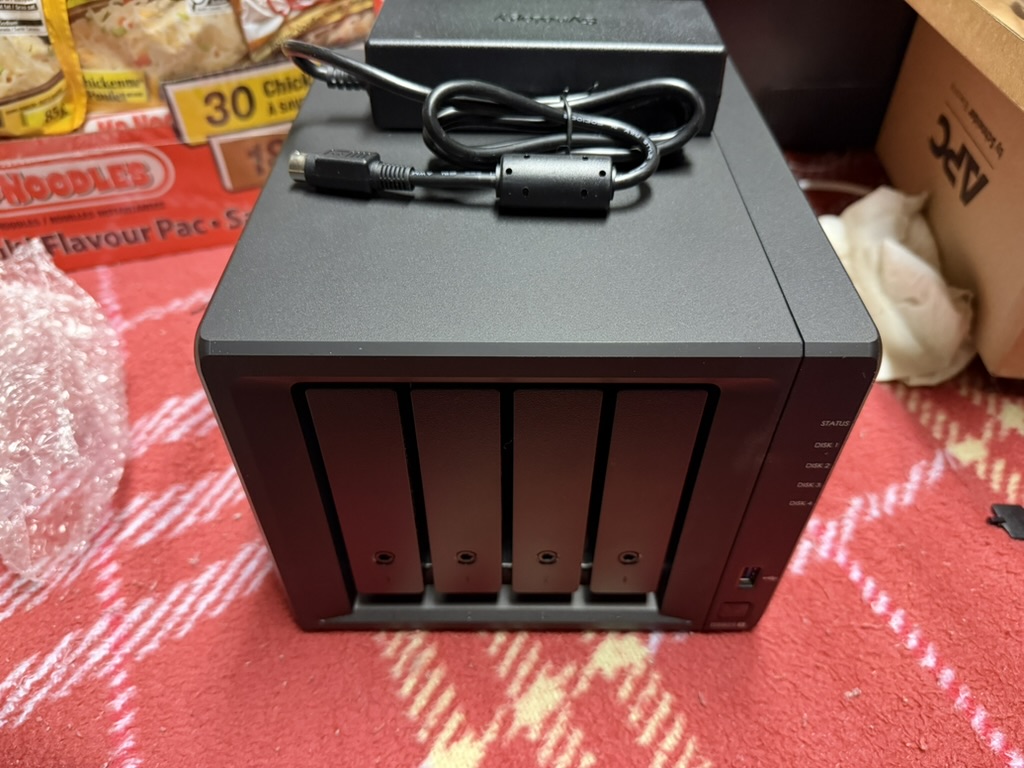
Second was a collection of three (3) HAT3320 twenty terabyte 3.5″ hard drives. These fit into the drive bay drawers perfectly without tools using friction fit clips. Three drives is a good starting configuration as it supports RAID 5 or Synology’s own equivalent SHR (Synology Hybrid RAID).
Note that SHR is recommended as it supports mixed drive sizes in the RAID group without loss of the extra capacity. Also note that RAID always means loss of some capacity: roughly speaking, the storage of one entire drive in a three drive array is “consumed” by the array striping logic. This means I have just under 40 terabytes of storage with the three drives currently installed.
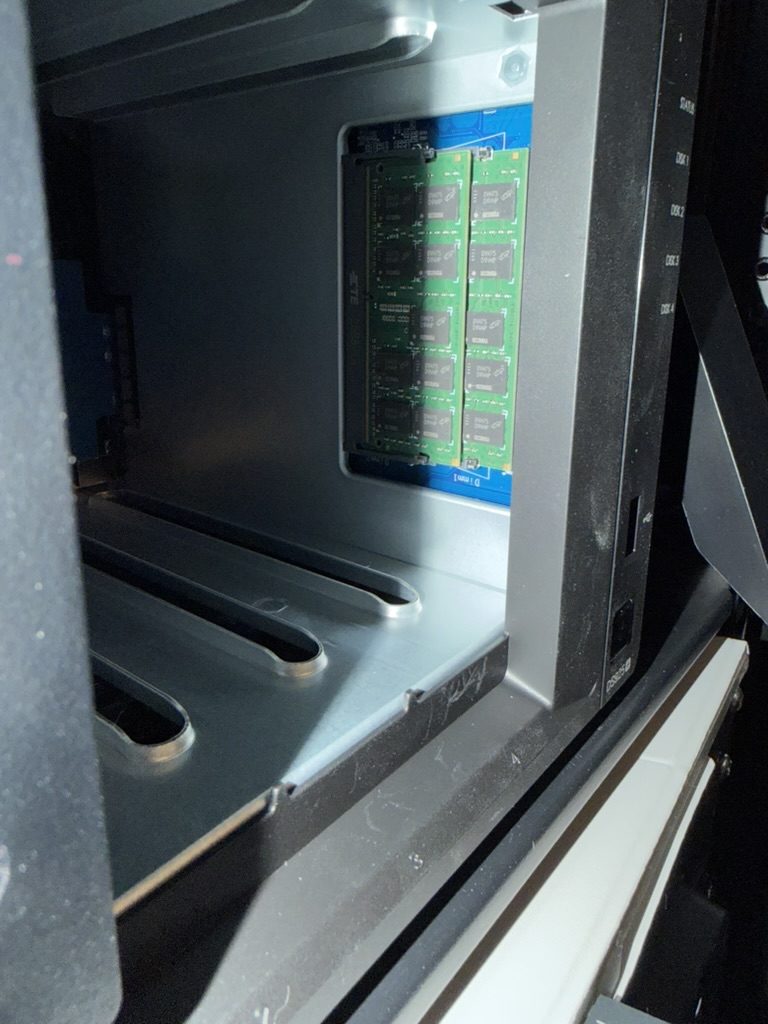
The last piece of my configuration was adding more RAM to the Synology 925+ chassis. It comes by default with 4 GB of RAM in a single SODIMM card, and I upgraded to 32 GB using two SODIMM 2666 MHz cards. I didn’t use Synology branded parts for this: instead I used OWC brand parts, specifically this part on Amazon=> OWC 32GB Memory RAM Kit Compatible with Synology DiskStation DS1522+. The RAM has worked without error so I feel reasonably confident in recommending this for use in compatible Synology enclosures.
Conclusion
Thus far I have no complaints about the Synology 925+. I went into this purchase with my eyes fairly wide open, and nothing about the configuration has caused me any grief. Bonjour and Timecapsule services over SMB are working well with MacOS TimeMachine on my Macbook. And I have a form of file level backup running using rsync with my Linux machine.
I have plans to add further uses to the new NAS in the future. Image level backup for my Linux box is one example, but I’m also contemplating setting up some security cameras using Synology’s Surveillance Station and some suitable cameras. I have an idea for making a local “backup” of my iCloud photos library- that will require some thinking before I attempt it.
Most importantly, of course, is the fact that the NAS is no longer a deprecated piece of kit: all the pieces are supported and under maintenance. Hopefully I can keep them that way for another half decade or so at least.
I thought Synology had done a U-turn on that branded drive deal after the backlash. That is super disappointing if not. I have an old 213+ and its working fine with my Red Drives but that was way before they announced that drive nonsense.
I read several contradictory posts in different places that left the branded drive question rather unclear to me. One reference I found indicated you could have a single branded drive and fill the rest of the array with other non-branded alternatives with nothing more than warning messages being generated, but I don’t know if that is true. What I can say is that Synology’s compatibility page lists nothing but Synology-branded drives currently.
I don’t know if the original “non-Synology drives won’t be recognized at all” logic has been changed in DSM or not. Certainly it was enough to make me go with the branded drives to be sure of compatibility. Given the cost of high capacity drives in general at the moment I’m not really wanting to experiment.
I have a Zidoo Z10 Pro Media player in my lounge attached to the TV. It has a 4TB HDD inside. I thought this would be sufficient a few years ago. 4k .mkv files say otherwise. Hence a NAS is an option as the Zidoo box easily supports such things. However, I think the cost of something comparable to your build would be prohibitive. Your NAS model costs about £600 in the UK. Seagate Iron Wolf drives, which are allegedly compatible, cost £300 plus for 8TB. Four of those would cost twice as much as the NAS itself. I’ve already sold three of my kidneys. Great write up though. Most useful.
Whatever storage we have, Roger, we will always find ways to fill it. I honestly doubt I will ever fill up 40 terabytes, but I didn’t want to think about storage for a few years at least and this seemed like a good amount to achieve that end.
The NAS and drives cost at least three kidneys worth, that is true. Drives right now, even spinning rust drives like these, are ridiculously expensive. They’ve doubled in price in the past year or so. In fact, in the month since I ordered the drives their price went up about CDN$100. I try not to think about it too much and just ask the wife if it is okay. If approval is given, I proceed.